What Are Reverse Phishing Attacks?
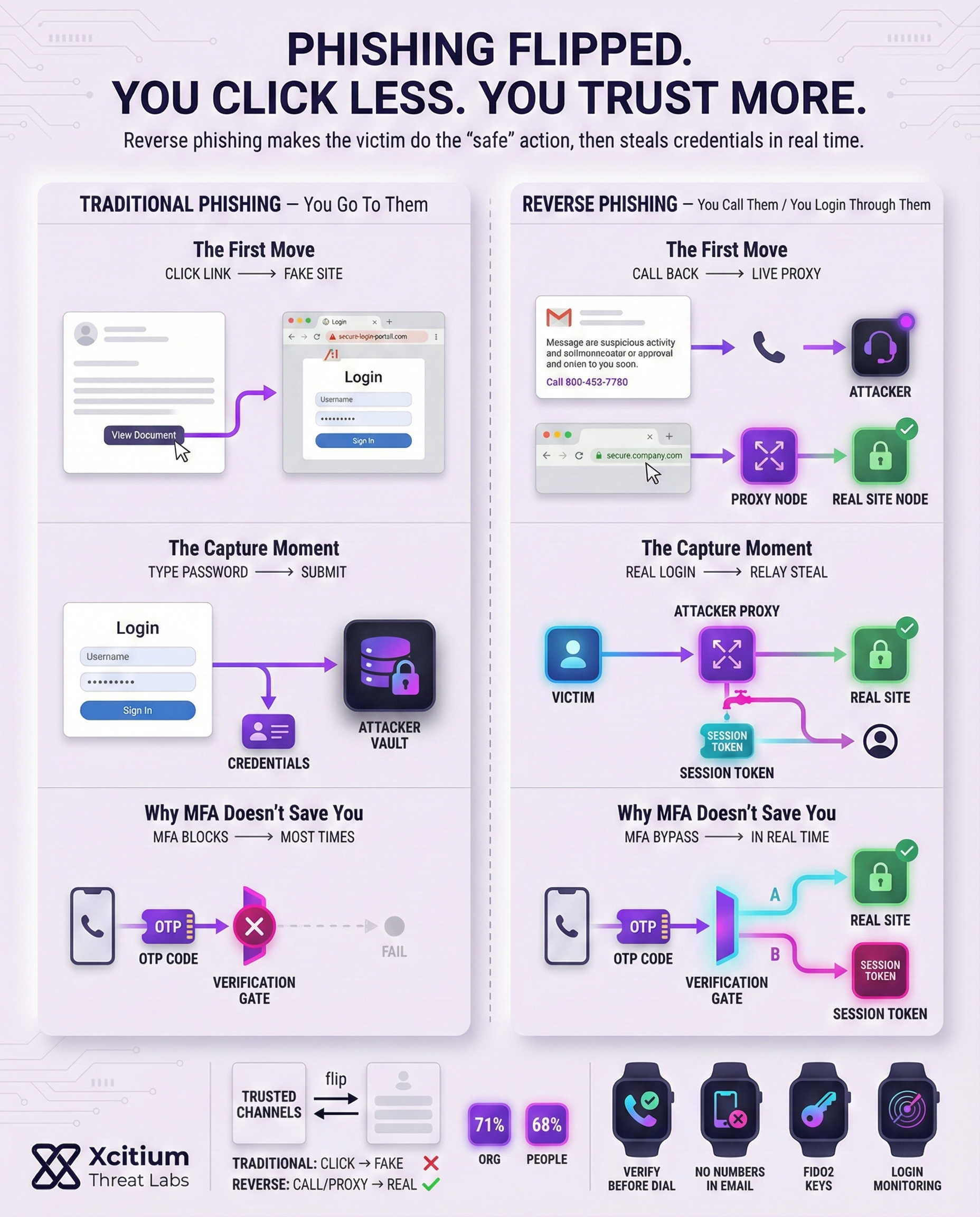
In traditional phishing scams, attackers trick victims into visiting fake websites and provide their login credentials, which are then used for malicious purposes. Reverse phishing, attackers employ a different strategy. In one type of reverse phishing, attackers create a real-time proxy between you and a legitimate website.
When you provide your login credentials, the attacker’s proxy catches them and forwards them to the legitimate website, and you are not aware of the attack.
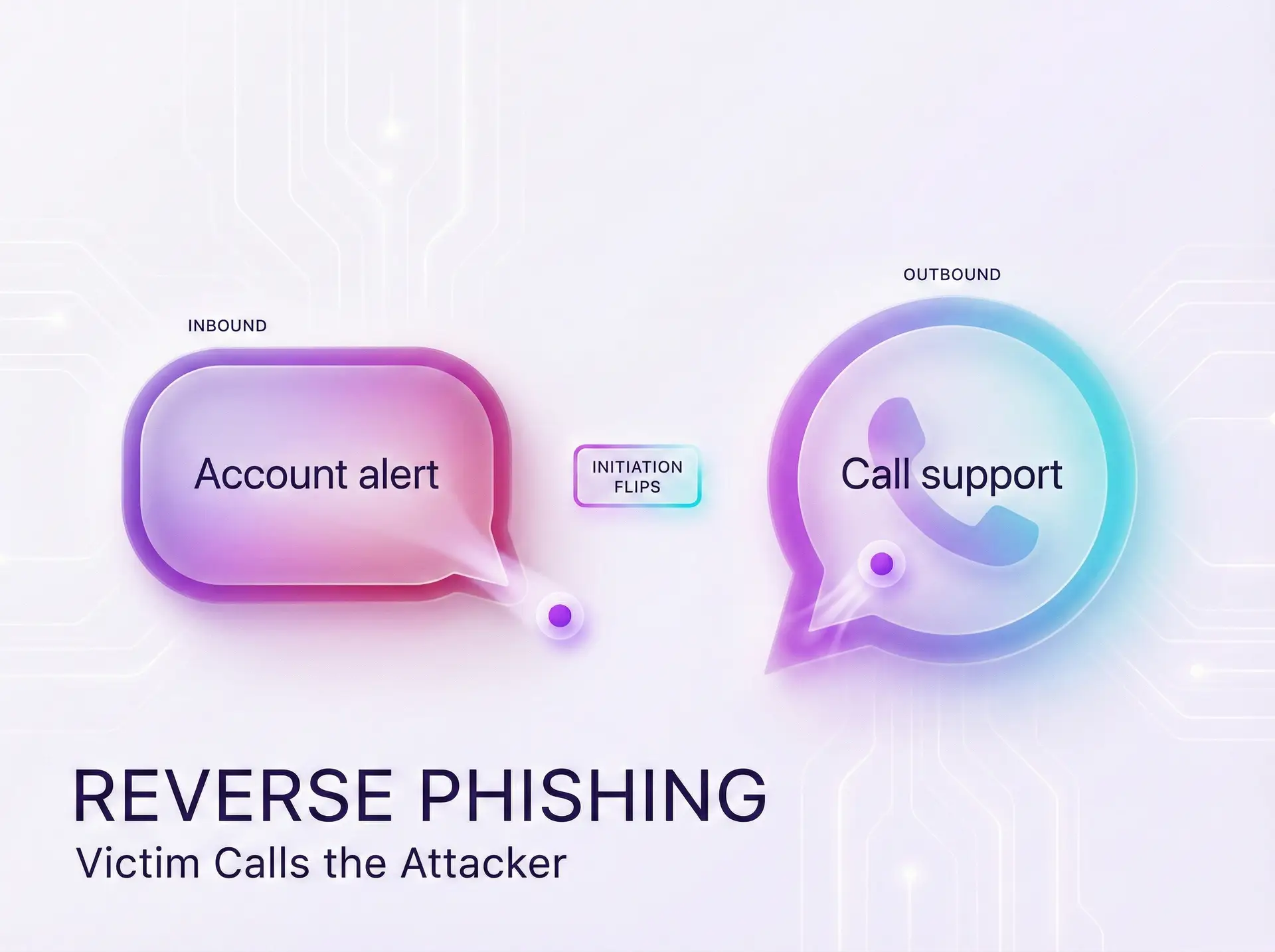
In the second type of reverse phishing, attackers send emails that appear to be from legitimate sources, such as Microsoft, and invite you to call a given phone number. Since you are calling the number, you trust it, but in reality, you are talking to an attacker and not a legitimate Microsoft support team.
Reverse phishing scams have a number of key characteristics, such as:
- Live credential relay: In this type of reverse phishing, attackers create a malicious proxy that catches and steals passwords and codes in real time.
- Callback lures: Attackers send emails that require you to call a given number, instead of clicking on a link. Once you call the number, attackers pose as a legitimate tech support team.
- Trusted channels: Scammers abuse real services or domains (like official Microsoft invites) to bypass filters. Messages come from legitimate-looking addresses, so standard security tools may not flag them.
- MFA bypass: Because the login is happening live through the proxy, even multi-factor codes or push approvals can be captured and replayed.
Each variation relies on psychological trust. Instead of a blatant phishing link, victims see a familiar name or number, making the ruse harder to spot.
Proxy Phishing: Credentials in the Middle
In reverse-proxy phishing, attackers act as a “man-in-the-middle” during login. You might log in to a bank or email service, but your connection actually passes through the attacker’s proxy server. The proxy forwards your username, password, and even multi-factor authentication codes to the real site in real time. To you, the process looks normal you see the real site and enter your codes. In reality, the attacker now has your credentials and login tokens.
This technique is especially dangerous. By capturing your session as it happens, scammers can bypass security safeguards. For example, multi-factor authentication (MFA) is often defeated because the proxy can relay the one-time code to the legitimate site immediately. Once inside your account, attackers can cause serious damage.
They may install remote-access Trojans (RATs) on your device, watch your activity, or even add your computer to a botnet for further attacks. Such access opens a door to command-and-control (C&C) networks, allowing criminals to coordinate large attacks or steal sensitive data.
Consequences of a successful reverse-proxy attack:
- Deploying malware or RATs to control systems remotely.
- Forming botnets for distributed attacks or crypto mining.
- Maintaining persistent access via compromised credentials and hidden backdoors.
Because this tactic is live and stealthy, it demands robust defenses. Companies are advised to use continuous monitoring and advanced analytics to spot the signs of proxy phishing. Real-time detection tools and stronger authentication measures can help mitigate these risks.
Callback Phishing: When Calling Calls the Shots
In callback phishing, also known as TOAD attacks (Telephone-Oriented Attack Delivery), the phishing scam turns the usual rules of social engineering on their head. The victim makes the phone call. Phishing emails or messages are sent to the victim in the form of messages from a trusted source claiming to address pressing concerns or invoices.
Unlike in usual phishing scams, the message does not come with a link to install malware. Instead, it contains a phone number and instructs the victim to call immediately. Since the victim initiated the call, they feel more comfortable providing sensitive information.
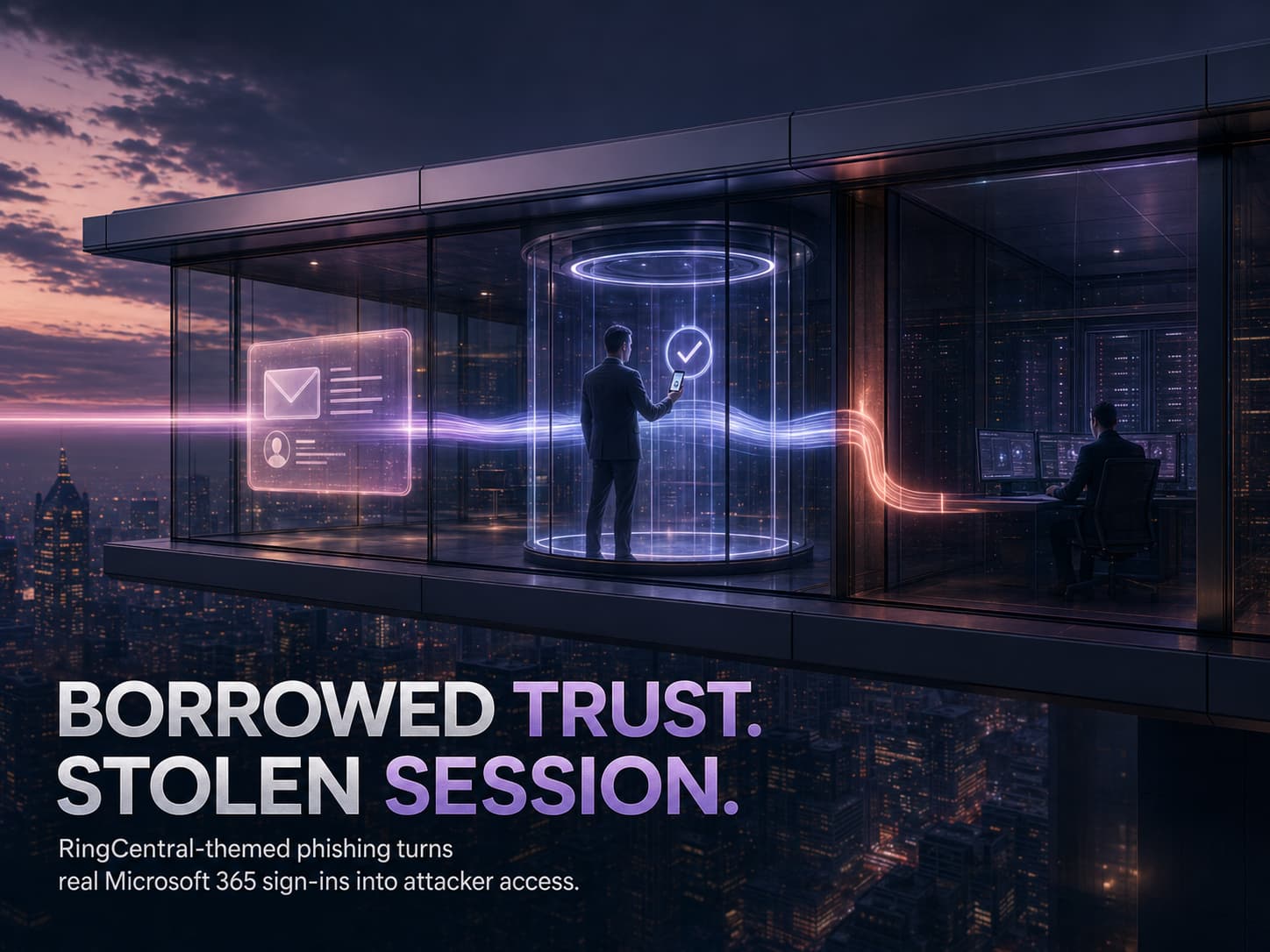
Lately, attackers used Microsoft resources to conduct their phishing scam without being detected. The attackers sent genuine Microsoft Entra guest invitation emails to their targets from the email address invites@microsoft.com.
The message addressed concerns about a billing issue and asked the victim to call the “Microsoft Billing Support” number to resolve the issue of an alleged charge of $446. Since the invitation came from trusted sources in Microsoft, it did not pass through email filters. Once the victim called the number, attackers posed as billing agents and guided the victim through harmful operations.
Other real-world examples illustrate the trend:
- BazarCall: Attackers emailed victims posing as subscription services or software companies. The emails warned of upcoming renewals and told recipients to call a support number. Anyone who phoned was guided to download malware hidden in seemingly legitimate updates.
- Government Helpdesk Phish: Malicious emails targeted U.S. government staff, pretending to be from an IT helpdesk. The victims were instructed to call a provided number. Those who called were directed to a bogus site, leading to stolen credentials and system compromise.
- Microsoft Entra Scam: As described above, attackers exploited Microsoft’s cloud invite system. The emails came from an official address, making the phish look authentic. Callers unknowingly gave away passwords and even allowed malicious software installs by the attackers.
These examples show how devastating callback scams can be. Since victims initiate the call, attackers exploit inherent trust and pressure them with urgency.
Without any malicious link to click, traditional security measures (email filters, sandboxing, antivirus) often miss the attack. Instead, the entire breach hinges on social engineering in the phone conversation.
Case Studies and Recent Trends
In late 2025, a Microsoft Entra invite campaign was discovered, and it was said that it was a “TOAD phishing” scheme where victims were tricked into calling scam numbers with official-looking invites.
This was, however, an indicator of a larger scheme where attackers were utilizing legitimate cloud services and trusted domains for their scams.
Another report was stating that although traditional phishing was still a major problem, there were an increasing number of live proxies being used for gathering login credentials. In fact, it was said that this type of attack could bypass MFA and open the doors for botnets and RATs. This maritime industry alert was a reminder that reverse phishing schemes are becoming more sophisticated.
Statistics from recent cybersecurity studies show that these schemes are effective because of human error, and that’s what reverse phishing takes advantage of. A report showed that 71% of organizations still had at least one successful phishing attack, and that human error was a major problem because 68% of employees had admitted to engaging in risky behavior that compromises cybersecurity.
This shows that no matter how well-trained a cybersecurity team is, reverse phishing schemes are able to trick them because of their sophistication and ability to utilize trusted sources and scenarios.
Guarding Against Reverse Phishing
Staying safe from reverse phishing relies on a mix of technology and vigilance. Here are some recommended precautions:
- Verify before dialing. Be cautious of unsolicited requests to call support numbers. Only rely on official websites or previously received communication for the phone number. If you have received an email regarding payment issues, you should not call the number provided in the email. Instead, you should search for the official support number on your own. An expert’s advice on how to deal with such situations is: “Only call support numbers which you know to be genuine and perform absolute diligence to ensure they are legitimate.”.
- Scrutinize invitations and emails. Email administrators should regularly check the logs to identify unusual invitations or emails. For instance, administrators should be aware of unusual Microsoft Entra or Azure AD guest invitations from unknown tenants. In case you have received a guest invitation from invites@microsoft.com but find it unusual, you should quarantine the email right away. To identify such unusual emails, you can search your email logs for common scam indicators.
- Limit and monitor collaboration tools. Limitations should be imposed on collaboration tools to restrict unusual invitations to organizations. Organizations using Entra ID (Azure AD) should consider disabling the auto-invite features to detect unusual activity.
- Training on social engineering. Training programs should be conducted to educate employees on how to identify callback phishing attacks. Employees should be trained to identify the scam attack that requests them to call a number.
- Use phishing-resistant MFA. Although no method is completely foolproof, moving to a hardware security key (FIDO2) or other advanced factors can be useful. Advanced MFA techniques are difficult to bypass using proxy attacks. At the same time, organizations should consider using real-time monitoring and analytics to detect unusual login activity even with correct login credentials.
The key is to stay one step ahead. This means that, by implementing good technical countermeasures such as strong authentication and email filtering, and at the same time educating users, an organization can limit the effectiveness of reverse phishing. This is especially true in an environment where attackers do not trust anyone and always look for different approaches.
Conclusion: When the Victim Makes the Call, the Attacker Wins
Reverse phishing flips the model. Instead of pushing victims to click a link, attackers either relay credentials through a live proxy or persuade victims to call a scam line. The result is the same, credentials, MFA codes, and session access are captured in real time while everything looks legitimate.
Why This Threat Bypasses Modern Defenses
Reverse phishing succeeds because it avoids the signals many controls rely on.
- Live credential relay proxies capture passwords and MFA as they are entered, then replay them instantly
- Callback lures move the attack into a phone conversation, where pressure and authority replace technical tricks
- Trusted channels are abused, including legitimate-looking invites and domains that slip past filters
MFA becomes a speed bump, not a barrier, because the attacker is in the middle of the session.
Why Organizations Stay Exposed
Most teams are built to block malicious links and attachments. Reverse phishing often has neither.
The breach hinges on human trust, and on one moment of urgency that convinces a person to call, approve, or share information that should never be shared.
Where Xcitium Changes the Outcome
With Xcitium Cyber Awareness Education and Phishing Simulation, this attack would not succeed.
- Users learn the rule, never trust phone numbers or support instructions delivered inside an email
- Simulated callback and proxy scenarios build pause and verify behavior under real pressure
- MFA fatigue tactics and live relay patterns become recognizable, not convincing
- The attacker loses at the decision point, because the victim does not complete the workflow
Stop the Scam Before the Session Is Stolen
Reverse phishing is designed to look normal. Defense means training people for the moment the attack becomes real. Protect users before they dial, approve, or disclose.