Apple Alerts Turned into Phishing Bait
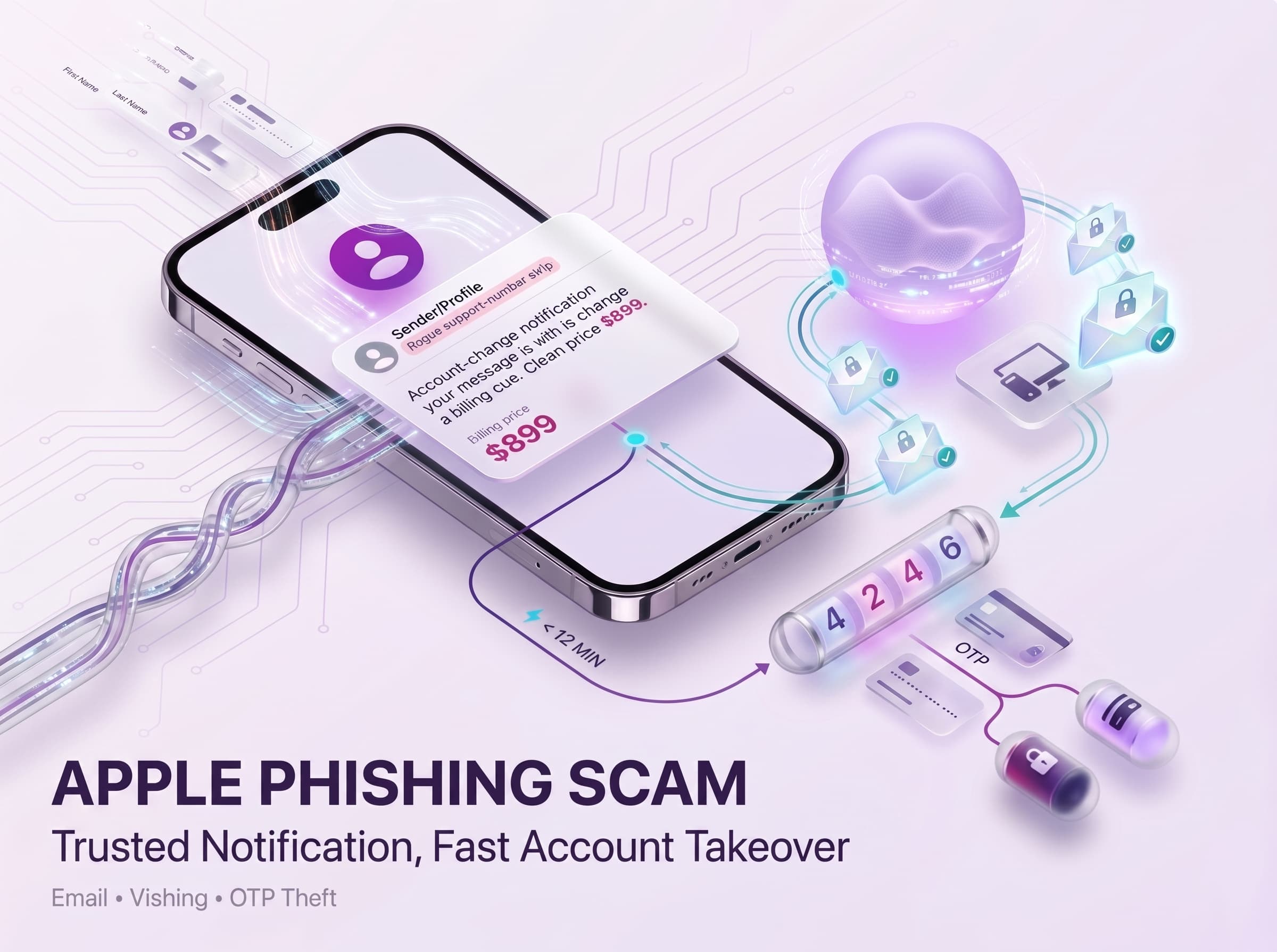
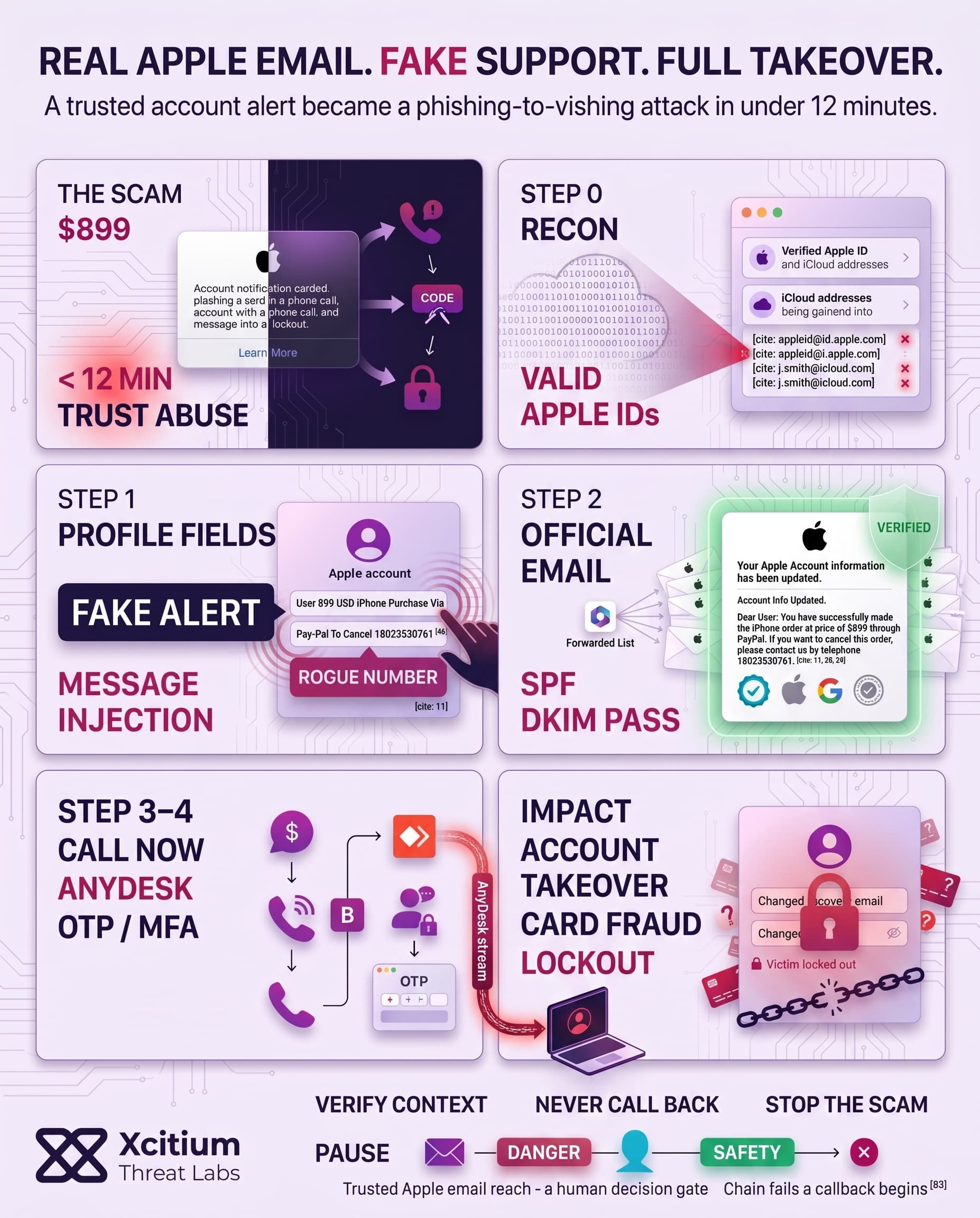
The malicious email takes form as a valid Apple Security Alert letter, containing a fake notification of the victim purchasing an $899 iPhone through PayPal. It states the following: “Account Info Updated. Dear User: You have successfully made the iPhone order at price of $899 through PayPal. If you want to cancel this order, please contact us by telephone 18023530761.” In reality, the text is embedded within the “first name” and “last name” placeholders used during the creation of the phishing Apple ID account. By utilizing the services of Apple’s own email infrastructure, the attackers are able to pass both SPF/DKIM and spam filter validation. The most important features of the scam email are listed below.
- Legitimate sender domain: The email comes from
appleid@id.apple.comand uses Apple’s servers, making it look official. - Embedded scam text: The body warns of a bogus iPhone order and urges a callback to the provided number. The text is broken awkwardly across the greeting line (see example above) to fit into Apple’s notification format.
- Real Apple alert trigger: The attacker simply updated account details (like shipping info) on a throwaway Apple ID. That action forced Apple’s system to send a genuine “account updated” email, which unknowingly contained the scammer’s message (since it’s copied from the profile).
Anatomy of the Phishing Email
The simulation above shows a convincing fake Apple email. It uses Apple branding and a real-looking “appleid@id.apple.com” sender address. On first glance, it appears to be a standard account change notification. However, subtle clues betray the fraud. The subject line reads “Your Apple Account information has been updated”, but the message body immediately jumps into the scam text.
The greeting says “Dear User 899 USD iPhone Purchase Via Pay-Pal To Cancel 18023530761,” which combines a generic salutation with the bogus purchase alert. Analysts note that after “Dear User,” the scam message runs right into it – an impossible structure for a genuine email, since a person’s name would normally appear there. This mismatch is a clear red flag.
In addition, the content includes the attacker’s own iCloud address (j.smith@icloud.com) as the account being updated, making it seem as if an unknown user accessed the account. The style otherwise mimics Apple’s format: links to account.apple.com, standard footer text, etc. Because the email passes all security checks (SPF, DKIM, DMARC) from Apple’s domain, most email filters will let it through. Only careful inspection reveals its deceit.
The greeting and subject don’t align (account info vs. purchase alert), and Apple would never use “Dear User” with a price and phone number right after it. These inconsistencies, documented by researchers, show that the content is malicious once you know what to look for.
- Sender legitimacy: The email originates from Apple’s own mail servers (IP 17.111.110.47), so it flies under the radar of anti-spam measures.
- Subject vs. body: The subject claims an account update, but the body warns of an unauthorized iPhone purchase – a logical contradiction.
- Unusual greeting: “Dear User” followed immediately by the scam message is nonsensical. A real Apple email would address the actual account owner by name. This odd phrasing is a telltale sign of the embedded fraud.
Exploiting Apple ID Profile Fields
These attackers use Apple’s ability to edit profiles to insert the phishing text into the fields. In the simulation above, one can see that the attacker inserted his phishing text into the First Name and Last Name fields of his Apple ID. Specifically, attacker put “User 899 USD iPhone Purchase Via” in the first name field and “Pay-Pal To Cancel 18023530761” in the last name field.
In doing so, he makes it possible to add a whole sentence using those name fields. As Apple sends an automatic “Your account information has been updated” alert e-mail after a certain change is done on the account, it will include those user-defined fields in the e-mail body. Thus, the phishing text is added into the email sent by Apple without it being created intentionally by the company. The scheme used in the exploit includes several steps:
- Forcing the email sending: The hacker changes something harmless (e.g., shipping details), causing Apple to send a confirmation e-mail to him.
- Creating an account: The scammer creates a new account and uses name fields to input a malicious text.
- Adding a message: As both of those fields have a significant enough capacity to input text in, the whole phishing sentence is stored there.
Mailing Lists and Bypassing Filters
After this, the scammer forward the phishing message to the actual victims. Instead of sending emails to their targeted accounts directly, the attacker forward the phishing notification sent by Apple through its server to the email account of theirs, which is a Microsoft 365 account.
- Automatic distribution: Then, this list will be used for the automatic distribution of the email. As Microsoft 365 has implemented “Sender Rewriting Scheme,” the forwarded email will have the domain of the original sender, i.e., “Apple” and it will clear the SPF/DKIM verification process successfully.
- Mailing list forwarding: It was noted through header analysis that the “original recipient” is different from actual recipient addresses. It means that mailing list is being used in forwarding the email message to the intended victims.
- Email authentication: The mailing list will modify the return path of the email message. Therefore, the email is authenticated properly, and it does not get blocked by any spam filter or inbox rule due to any reason.
By implementing a mailing list in the attack, the scammer can send the email to tens of targets simultaneously. The same strategy has also been observed by others in similar attacks involving Google and Amazon email servers.
Conclusion: When a Legitimate Apple Email Becomes the Scam
This campaign shows how phishing evolves when attackers stop spoofing the sender and start abusing the sender’s own infrastructure. The email arrives from a real Apple domain, passes SPF, DKIM, and DMARC, and still delivers a fake purchase alert that pressures the victim to call a fraudulent support number. Trust is no longer borrowed. It is inherited.
Why This Threat Matters
This attack is dangerous because it removes many of the signals users and filters normally rely on.
- The message is sent through Apple’s own mail servers, so it looks authentic to both inboxes and recipients.
- The phishing text is hidden inside Apple ID profile fields, then inserted into a genuine account update notification.
- Mailing list forwarding helps distribute the scam broadly while preserving trust signals.
Why Most People Stay Exposed
The scam succeeds because it exploits urgency and visual familiarity at the same time.
- The subject says account information changed, but the body suddenly warns of a large purchase and gives a callback number.
- “Dear User” followed by a price and phone number feels wrong, but only if the recipient slows down enough to notice it.
- Once the victim calls, the social engineering phase begins outside the inbox, where many technical controls no longer help.
Where Xcitium Changes the Outcome
For organizations using Xcitium Cyber Awareness Education and Phishing Simulation, this attack would not succeed.
- Users learn that a trusted sender domain does not guarantee a trustworthy message.
- Simulated attacks build pause and verify behavior before victims call the number.
- Subject and body mismatches, strange greetings, and pressure tactics become obvious warning signs.
- The attacker loses at the human decision point, before the phone conversation ever begins.
Protect the Moment Trust Is Manipulated
Phishing no longer needs a fake domain to succeed. Sometimes it only needs a real brand and a rushed user. Train people to verify context, not just sender identity, and stop the scam before the callback happens.