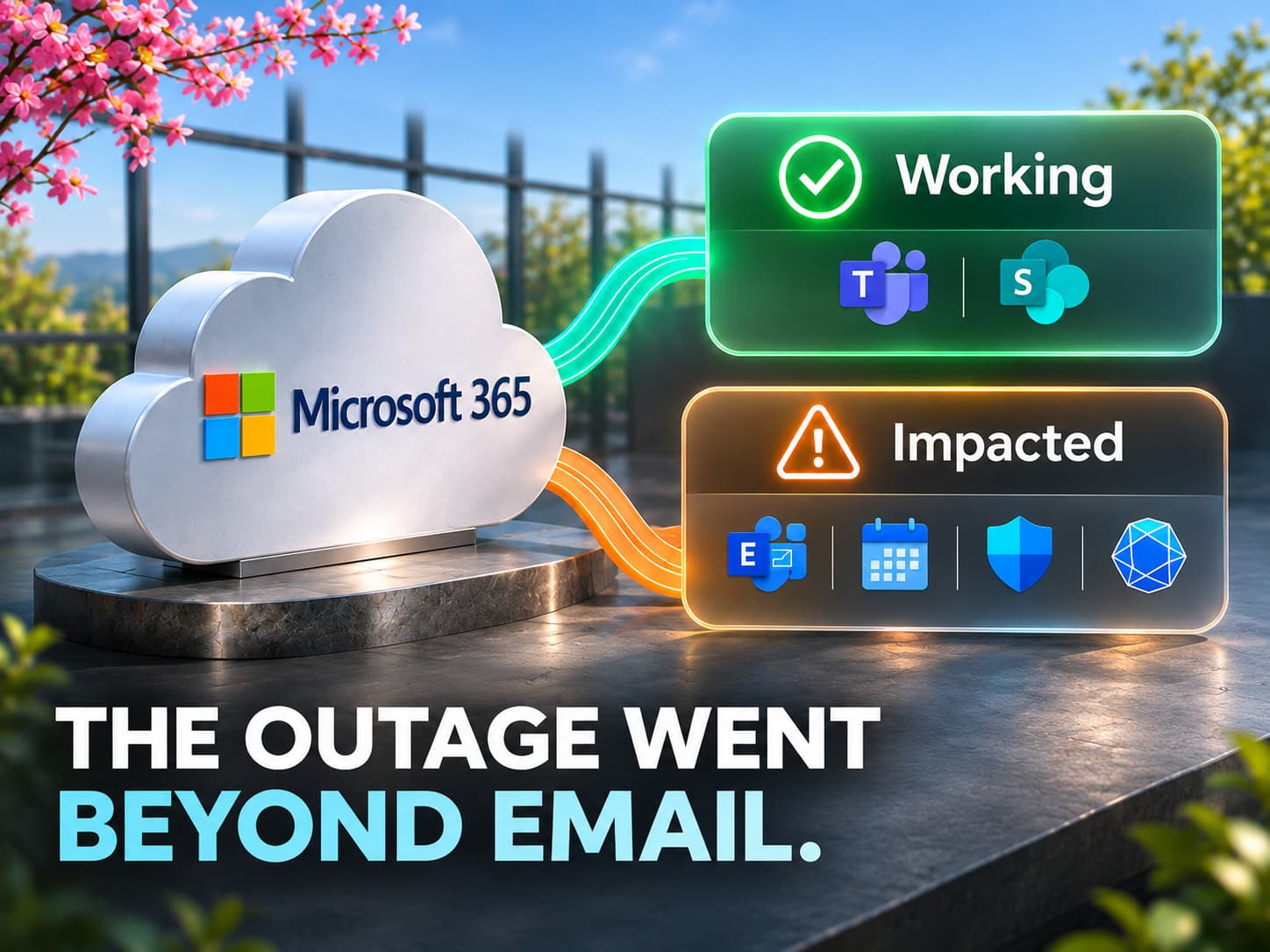
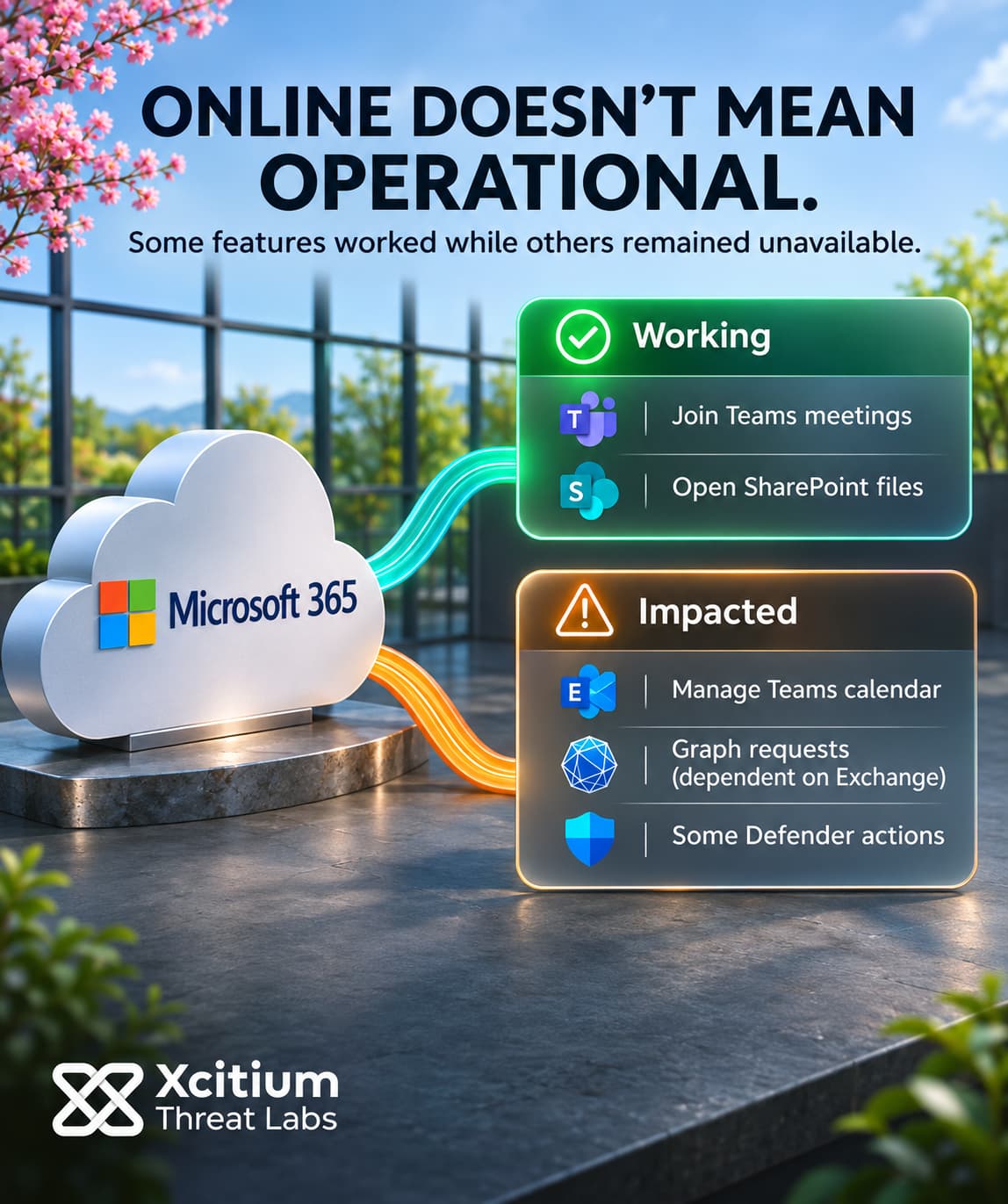
The Microsoft 365 outage that began on November 12, 2026, left users unable to open their Exchange Online mailboxes across multiple connection methods. As servers fell out of service, the remaining machines had to handle more requests each. Some servers briefly recovered after a restart, then stopped responding again when they took live traffic. The disruption reached Teams calendars, Microsoft Graph requests and parts of the Defender security workflow.
Microsoft records the start of the Exchange mailbox issue, EX1550543, at 16:17 UTC. Its broader Microsoft 365 record, MO1550821, starts at 18:26 UTC, about two hours and nine minutes later. By the evening of November 12, engineers were returning servers to a pool that had already lost capacity.
Failed Health Checks Cut Serving Capacity
A health check helps a traffic router decide whether a server can accept requests. When servers fail that check, the available pool can shrink before anyone knows why the checks failed. During this outage, Microsoft found that load rose on the remaining servers without an overall increase in traffic. With fewer servers available, each surviving machine had to handle a larger share of incoming requests.
Engineers tested a way to bypass a component they suspected of mishandling the checks. By 20:56 UTC, an alternative check had let a subset of servers return to service. At 22:00 UTC, Microsoft reported that a core process was becoming overwhelmed and causing servers to stop responding. By 23:59 UTC, some machines were becoming unresponsive again when they took traffic after a restart.
Taken together, those updates show how a brief recovery could unravel. A server passing a check adds capacity only for as long as it can keep processing requests. When a recovered machine stops responding again, it leaves a smaller pool to handle incoming work. In an evenly loaded pool, losing a quarter of the servers would raise average load on each survivor by a third even with demand unchanged. The incident records give no server count for calculating the actual increase.
Live Traffic Exposed the Limits of Restarting
Microsoft isolated part of the infrastructure, restarted the affected components and began reintroducing traffic in stages. Engineers also diverted connections to alternate paths and restricted some types of traffic in selected locations. Rerouting could relieve pressure wherever alternate paths had spare capacity. By restricting request types, engineers could test whether a particular class of traffic contributed to the renewed failures.
Early on November 13, Microsoft said a change intended to improve serviceability had fallen short. Later, the 07:29 UTC public update reported improved stability on a subset of infrastructure after a patch to an upstream authentication and routing configuration component. Microsoft was working to extend the patch to more servers and still listed service degradation. The company said it was unaware of malicious activity causing the incident. It reserved the root-cause details for its post-incident report.
Exchange Dependencies Split Teams and SharePoint Features
The Exchange advisory listed potential failures across Outlook on the web, desktop Outlook over MAPI, mobile connections using EAS and REST-based connections. All four methods can reach the same cloud mailbox. Consequently, moving from a desktop app to a browser could leave the affected mailbox just as hard to reach. Delivery could also lag. Even an on-premises mail system could see disruptions if its mail flow passed through Exchange Online.
Those mailbox dependencies extended into other products. Teams uses Exchange for calendar functions, so users could still join meetings in most cases while scheduling or editing one could fail. Likewise, users could still open files stored directly in SharePoint Online while some external sharing operations could fail. Requests to Microsoft Graph could also time out when they needed Exchange mail, calendar or contact data. For example, a scheduling app calling GET /me/events needs calendar entries from the signed-in user’s mailbox. Copilot could also fail to retrieve work data such as email or calendar entries.
An earlier Teams incident on the same day affected a different set of features. Microsoft marked a separate Americas messaging incident, TM1550488, resolved with an end time of 15:53 UTC, about 24 minutes before the recorded start of the Exchange issue. That earlier record concerned sending or retrieving chat messages. Hours later, the suite advisory described meeting and chat functions that largely remained available alongside Exchange-dependent calendar failures. Reading those records together explains how a Teams recovery notice and later calendar errors could both be accurate.
The Outage Disrupted Defender Investigations
The security impact went beyond email and meetings. Some Defender XDR portal pages or solution tabs could fail to load. In Defender for Office 365, investigators could have trouble opening quarantine or Threat Explorer. Even after quarantine opened, releasing a message could fail. With URL rewriting enabled, Safe Links routes a click through a check before sending the user to the destination. When that check failed to process a rewritten link, users could lose access to the destination even after opening the email.
These symptoms affect different points in a security investigation. Loading a console provides access to its controls. Releasing a quarantined message requires a separate action to complete. Meanwhile, an already configured event export gives analysts another place to look for records. Defender XDR can stream supported Advanced Hunting events to Event Hubs or Azure Storage. Analysts can still query retained events at a reachable destination. For newer activity, analysts can compare event timestamps with ingestion times to see whether incoming records are lagging. An empty result during an ingestion gap would leave the activity in that window unknown. The outage notice leaves the health of that path unspecified.
Conclusion: Test the Security Workflow Before Declaring Recovery
The Microsoft 365 outage exposed a dependency in incident response. One disruption could delay a report arriving in an Exchange mailbox and prevent an analyst from opening the tool needed to investigate it. Even when the quarantine page loaded, a release could fail. For the security team, recovery therefore depends on whether it can receive a report, inspect the evidence and verify the result of an action.
Those steps can recover at different times. For example, a mailbox can open while delayed messages are still arriving. A console can display an incident while a separate response operation fails. Each workflow needs its own evidence of recovery, especially when the provider reports that only part of its infrastructure has stabilized.
Why This Threat Matters
- The reporting channel can degrade alongside the investigation tools. A suspicious-email report can arrive late when its destination also depends on Exchange Online.
- An admin page is part of the response workflow. Some administrators could lose access to service health information just as they needed it to explain the disruption.
- Quarantine has separate read and release operations. A release test confirms whether the message reached its intended destination.
- Rewritten links add a dependency after delivery. If Safe Links cannot process a rewritten URL, the click can fail even after the recipient opens the message.
- A quiet dashboard leaves the coverage question open. During a collection gap, an empty search cannot account for activity in the missing period.
Where Defensive Control Must Operate
Keep the incident contact list, escalation instructions and a way to reach the on-call analyst outside the services that normally carry reports. In a drill, have someone submit a harmless report through the alternate channel. Then verify that an analyst can acknowledge it and record the decision while the usual mailbox is unavailable.
Xcitium Cyber Awareness Education trains employees to recognize phishing and impersonation. In this scenario, staff practice verifying a recovery notice through a known IT support channel and reporting suspicious messages through the designated route.
Phishing Simulation can show how employees respond to a simulated phishing email. For example, a drill could use a fake message claiming that staff must sign in again to restore Outlook access. Review who clicked the link and who reported the message. Then use the alternate channel to check whether the report reaches the on-call analyst.
Reconcile the Outage Window After Recovery
Send a test report through the normal channel and confirm that it reaches the analyst’s queue. Then exercise a permitted action on a benign test item and verify its final state. For each affected feed, use event timestamps to identify the period when records stopped arriving on time. Rerun searches over that window so late records receive the same review as events that arrived during normal operations. Assign an owner to investigate any gaps or response actions that still need confirmation.