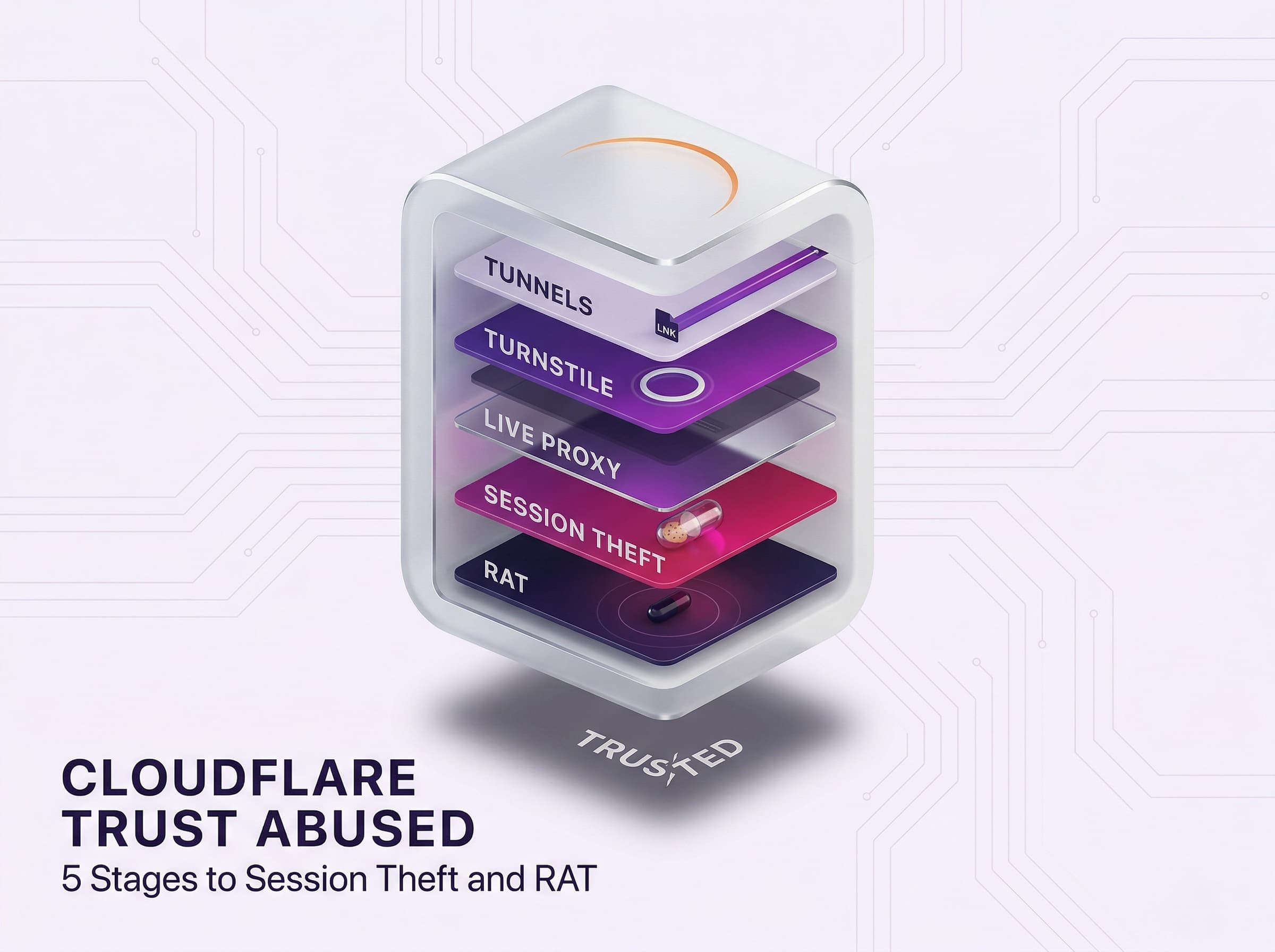
Cloudflare has become a double-edged sword. Criminals are increasingly hiding phishing sites and malware behind Cloudflare’s global network.
By using Cloudflare subdomains (like workers.dev or pages.dev) and features like its free tiers and automatic HTTPS, attackers make malicious pages look legitimate.
Key Cloudflare tools being abused:
- Cloudflare Workers (serverless code): Attackers are using Workers to host phishing pages or proxy login pages (adversary-in-the-middle).
- Cloudflare Tunnels (TryCloudflare): The free tunnels are being used to create hidden web paths for delivering malware (RAT, information stealers) from hidden servers.
- Cloudflare Pages/R2 (static site hosting): Zero-cost hosting is being used for delivering realistic fake sites (bank logins, crypto wallets) with valid TLS, making them believable to the victim.
- Cloudflare Turnstile (invisible CAPTCHA): Phishers are using the Turnstile pages to filter out real users and even deliver malware to the victim’s browser.
Each of these services has a legitimate purpose, but their trust and ease of use make them attractive to attackers.
Serverless Phishing via Cloudflare Workers
Cloudflare Workers allow developers to run custom code on Cloudflare’s edge servers. Criminals abuse this by hosting credential-harvesting pages on *.workers.dev domains. Because Workers come with valid TLS certificates and a globally distributed IP range, phishing sites on these domains often slip past filters. Fake Microsoft or corporate login pages on Workers that capture usernames and passwords.
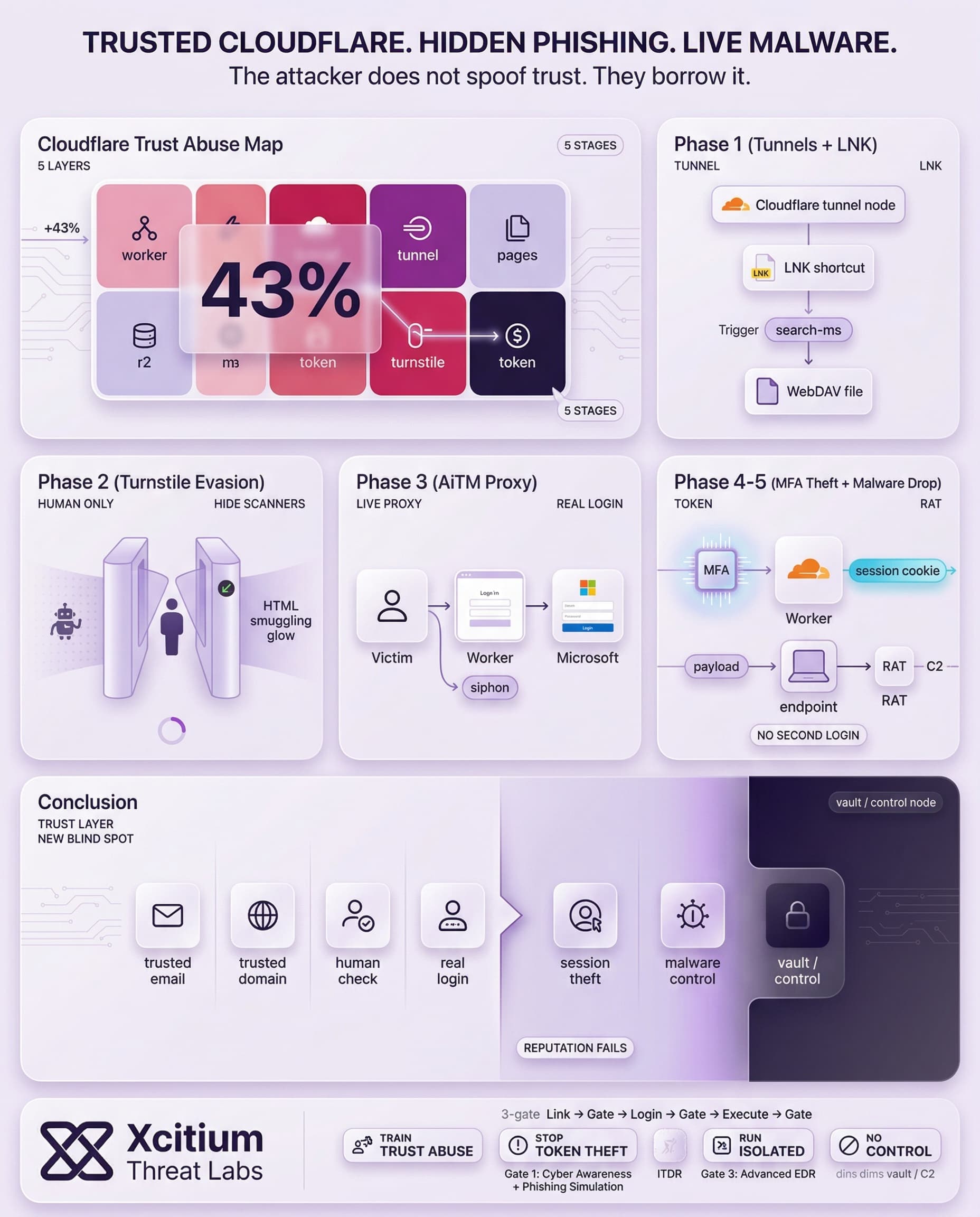
These “transparent” or Adversary-in-the-Middle (AiTM) attacks even proxy real login pages: the Worker fetches the genuine page, displays it to the user, and simultaneously steals the credentials and MFA tokens.
Thousands of malicious Worker apps have been found last year, with the number of unique phishing domains rising each quarter. Over one recent 30-day period, most of these targeted Microsoft login credentials (other common victims included Gmail and Yahoo accounts).
- AiTM Phishing: Workers act as proxy servers, capturing user input and authentication tokens while showing the real site. This breaks MFA because the victim is unknowingly logging in to the legitimate site.
- HTML Smuggling: The phishing kit delays page content delivery until it reaches the browser. The content is encoded in an HTML page of the Worker’s site and is rebuilt in the victim’s browser, evading many scanners.
- Free Tier Advantage: Cloudflare Workers offer a free plan that can handle ~100,000 visits/day with a valid TLS cert. Attackers utilize this to deploy phishing apps quickly without incurring costs.

Turnstile screens for real users while the page executes HTML Smuggling in the background. Legitimate IP range makes it look safe.

Sign in
The Worker acts as a live proxy between the user and Microsoft. Instead of a static clone, it mirrors the real login page in real-time, capturing keystrokes as they happen.
Check Authenticator
We sent a notification to your mobile device. Please open the Microsoft Authenticator app and enter the number below.
Because it is a live proxy, the Worker displays the real MFA prompt. Once the user authenticates, the Worker hijacks the Session Cookie, bypassing MFA entirely in future sessions.
Stealthy Malware Delivery via Cloudflare Tunnels
Cloudflare Tunnels (trycloudflare.com) create secure tunnels to local servers. Threat actors abuse these to obfuscate malware hosting. Instead of hosting malware on a suspicious server, they set up a short-lived Cloudflare Tunnel that points to a hidden payload. The result is malware traffic appearing to come from Cloudflare’s IP addresses, making sandbox and network filtering much harder.
Victims receive emails (often invoice-themed) with a link to a .URL shortcut on a Cloudflare Tunnel domain. Opening that link triggers a Windows Script (WSF) which runs a batch file. The script downloads a Python installer and finally drops Remote Access Trojans (RATs) like XenoRAT or XWorm. Throughout this chain, traffic flows through Cloudflare’s network, effectively “hiding” the malicious payload.
In June 2025, the “Serpentine#Cloud” attack exploited Cloudflare Tunnels to serve Python-based loaders that downloaded Donut-packed shellcode. Previous threat intelligence reports have shown this type of abuse to deliver AsyncRAT, GuLoader, and other malware using Cloudflare tunnels. This shows a common thread of using Cloudflare Tunnels for stealthy malware delivery.
The key points of the tunnel-based malware chain are as follows:
- Shortcut Delivery: The phishing email contains a malicious URL that points to a malicious LNK file hosted on a
*.trycloudflare.comdomain. - Script Execution: The malicious shortcut executes a Windows Script (.WSF) using
Search-msand command-line techniques. In one case, the file was masquerading as a PDF that executedexplorer.exeto download a file using WebDAV. - Final Payload: At some point, the script will download a Python installer/loader that executes a RAT or stealer in memory. Due to the fact that it is being executed through Cloudflare, it will not be flagged by sandboxes.
Attackers favor this method because it conceals their actual infrastructure. Traffic coming from Cloudflare looks legitimate to many defenses. As one report notes, by abusing Cloudflare Tunnels, criminals “remain anonymous while bypassing network protections”.
This approach is being favored by attackers because it provides them with anonymity. The attackers remain anonymous while bypassing network protections with Cloudflare Tunnels approach.
Trust Exploited: Pages, R2 and Turnstile
Besides the execution of the code, attackers are also taking advantage of Cloudflare’s brand and features. Cloudflare Pages and R2, which are free static site hosting and object storage with automatic HTTPS, are being used for hosting sophisticated phishing pages. The pages may mimic Office 365, banks, or even crypto wallet sites. The advantage is that the site will have a valid TLS lock icon on the browser, with the domain being something like *.pages.dev or *.r2.dev. The latter two are Cloudflare’s services for static site hosting with HTTPS for free.
Another attack vector involves Cloudflare’s CAPTCHA alternative, Turnstile. Turnstile is an invisible or easy “are you human” test on websites. Phishers are mimicking Turnstile to trick users. In an attack, the victims were presented with a pixel-perfect replica of the Turnstile page, complete with the Cloudflare logo, and believed it was just another routine security test.
In the background, clicking “Verify” executed a hidden PowerShell command on the victim’s machine. Users were instructed to press Win+R, CTRL+V, and Enter. This executed malware held in the clipboard without any indication. This technique evaded many antivirus programs because it is based on native Windows functions and not a traditional malware program.
In credential phishing sites, attackers even utilize the legitimate Turnstile feature. A static Turnstile site key, embedded in HTML code for phishing campaign, allowed attackers to utilize Cloudflare’s legitimate human verification feature for this fake site. The result is that only legitimate users reached the malicious login page, while attackers were able to stop automated scanners at the gate.
Examples of trust abuse:
- Free Pages/R2 domains: Phishers create several subdomains under
.pages.devor.r2.devdomains to quickly set up temporary phishing sites. Each of these domains automatically includes HTTPS and caching capabilities provided by Cloudflare. - Cloned Turnstile: Fake human check pages with the real Cloudflare branding, tricking users into running malicious scripts (like loading malware by pasting it into the clipboard).
- Legitimate Turnstile gating: Using real Turnstile widgets on phishing sites to ensure that only human traffic reaches the phishing page, with bot traffic being blocked.
The above examples demonstrate how attackers are using implicit trust in Cloudflare to their advantage. Most traditional defenses that “whitelist” Cloudflare are unlikely to catch these sites.
Rising Trends and Defensive Insights
Phishing via trusted Cloudflare services increased by around 43% every quarter. Cloudflare’s data reflects the overall threat landscape, with 2025 seeing more than 5% of emails scanned by Cloudflare’s Email Security being malicious, increasing by 16% compared to 2024. Of these, 52% contained deceptive links. While this is not necessarily Cloudflare-related, it indicates the increasing presence of phishers in the threat landscape.
Defenders recommend new tactics to combat these Cloudflare-aided attacks. Key advice includes:
- Check “trusted” traffic: Do not assume Cloudflare IPs are trusted. Instead, inspect HTTP/HTTPS requests coming from CDNs or tunnels.
- Phishing Indicators: Keep an eye on Cloudflare Turnstile site keys to identify possible phishing pages across domains.
- Behavioral Analytics: Employ anomaly detection and content scanning. Phishers may employ proxies or page obfuscation.
- Employee Education: Employees should also be made aware of suspicious search prompts or commands, such as the use of the Windows key + R tricks used in fake Turnstile attacks.
The line between good and bad Cloudflare usage is blurred, with even Cloudflare’s own defenses, such as API abuse detection, dynamic CAPTCHAs, and IP blocking, being potentially circumvented by sophisticated attackers.
Conclusion: When Trusted Cloud Infrastructure Becomes the Attack Path
This campaign shows how phishing and malware delivery have evolved beyond suspicious domains and obvious hosting. Attackers are now hiding inside trusted Cloudflare services, using Workers, Tunnels, Pages, R2, and Turnstile to make malicious infrastructure look legitimate. The result is a delivery chain that feels familiar to the user and often looks safe to the network.
Why This Threat Works So Well
The abuse succeeds because it borrows trust instead of trying to fake it.
- Workers can proxy real login pages and steal credentials and MFA tokens in real time
- Tunnels hide malware delivery behind legitimate Cloudflare traffic
- Pages and R2 give phishing sites valid HTTPS and trusted looking subdomains
- Turnstile branding and verification flows make users feel protected at the exact moment they are being manipulated
Once the victim trusts the platform, the attacker no longer needs suspicious infrastructure.
Why Most Organizations Are Exposed
Traditional defenses are built to distrust unknown senders and domains. This campaign abuses platforms that many environments already allow by default.
That creates a dangerous blind spot. The sender can be legitimate infrastructure. The URL can sit on a trusted service. The final stage can involve live credential theft, HTML smuggling, or malware execution through native Windows functions.
Where Xcitium Changes the Outcome
With Xcitium in place, this attack would NOT succeed.
- Xcitium Cyber Awareness Education and Phishing Simulation trains users to question trusted looking cloud links, fake verification flows, and command prompts disguised as security steps
- Xcitium Identity Threat Detection and Response helps stop the follow-on phase by detecting abnormal sign-in behavior and suspicious session activity when credentials or MFA tokens are stolen
- Xcitium Advanced EDR ensures that if malware delivery is attempted, code can run without being able to cause damage, so the endpoint stage never becomes persistence or control
The attacker loses because trusted infrastructure is no longer blindly trusted.
Defend the Trust Layer, Not Just the Domain
The new phishing problem is not spoofing. It is platform abuse. Train for trusted infrastructure scams, inspect behavior instead of reputation alone, and enforce controls that stop identity theft and runtime compromise before they become business impact.