Fake Mac “Cleanup” Posts Lure Users
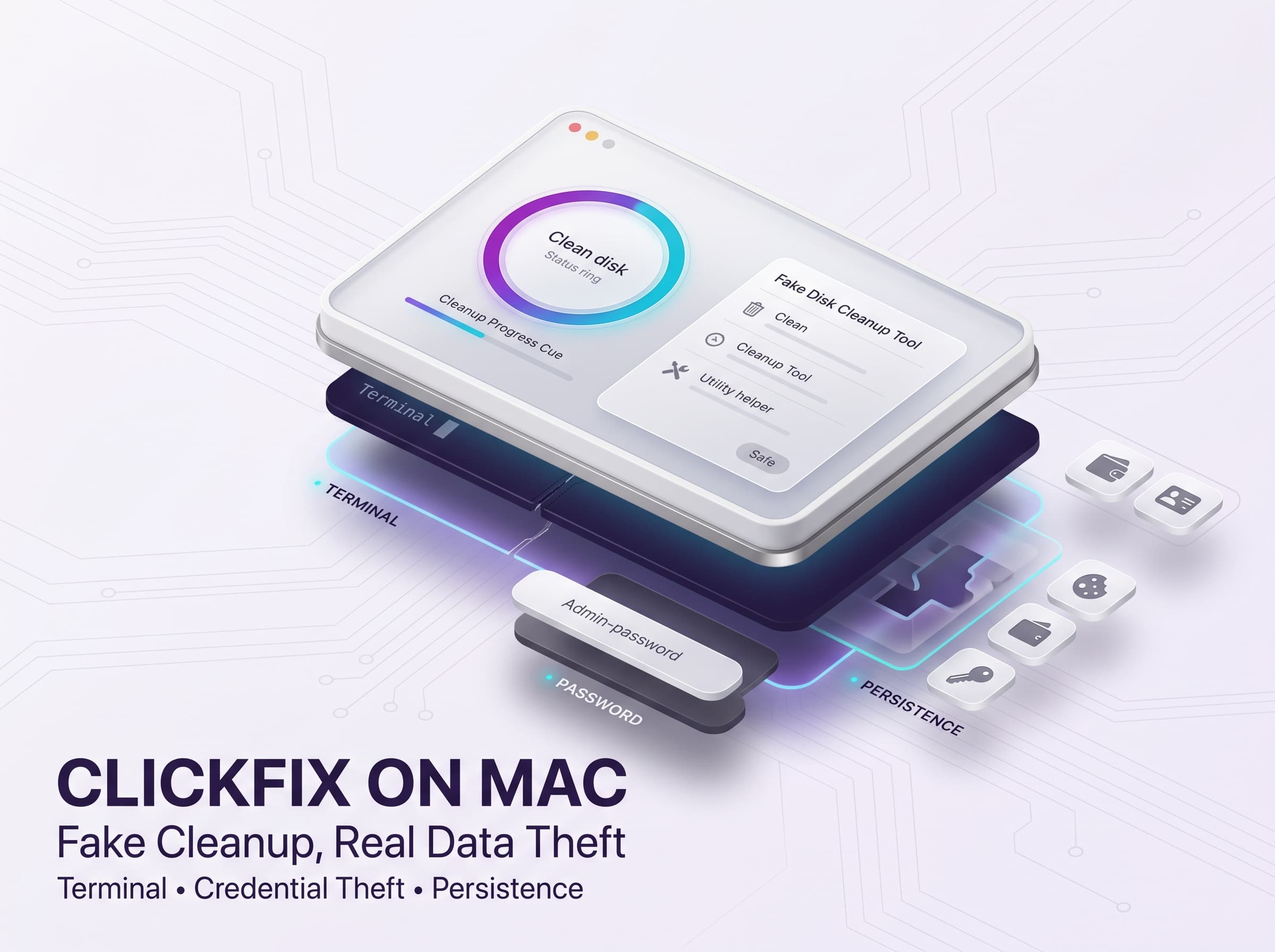
Attackers are posting phony macOS help guides on popular sites (Medium, Craft, etc.) to lure users. For example, one fake support article promises to fix disk space issues but actually instructs readers to open Terminal and paste a command. In this ClickFix tactic, the Terminal command is the attack vector: pasting it executes a hidden script that immediately downloads malware. (Because the user runs the command manually, Apple’s Gatekeeper never intercepts the payload.)
Once the command runs, a shell script quietly grabs an infostealer and runs it in the background. Microsoft analysts report several variants of this campaign all aim to harvest credentials and crypto keys. For instance, some lures use titles like “Reclaim Disk Space on your Mac,” mimicking genuine advice. Similar pages appeared on Craft and standalone sites with official-sounding names. Each lure theme (disk cleanup, Mac optimizer, etc.) is tailored to make the attack seem helpful.
ClickFix Command Execution Process
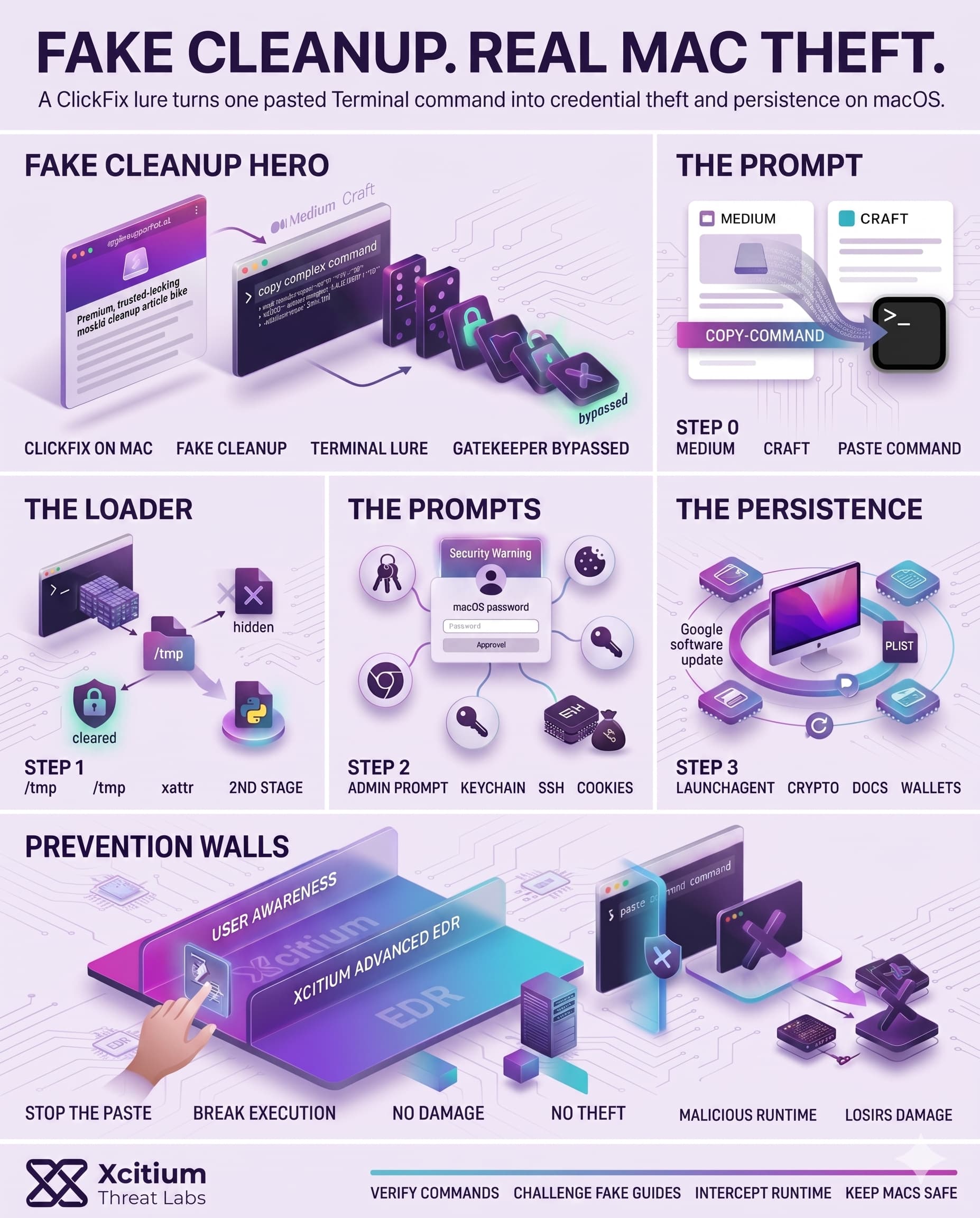
Following execution of the paste command by the victim, the attack proceeds through several phases. In most cases, there is first a small Bash dropper script that decrypts an embedded payload, writes another binary in a temporary directory, and removes Apple’s quarantine marker for execution. Next, it executes the other binary (possibly written in Python as a loader) and deletes itself using AppleScript. For instance, when studying the “Infiniti Stealer” attacks, researchers observed that its dropper:
- Decrypted and wrote an embedded payload to
/tmpas a Mach-O executable. - Removed the macOS quarantine attribute (
xattr -dr com.apple.quarantine) on the file. - Executed the newly created binary (e.g., with
nohup) while passing control server information through environment variables. - Deleted the original dropper script and closed the Terminal window using AppleScript.
This chain allowed the attackers to install the infostealer undetected by the victim. In many cases, the second-stage payload is typically written in Python, which is compiled using Nuitka to produce a native macOS application. As a result, this payload is hard to detect. (Malwarebytes revealed that one of the infostealers unzipped a 35 MB payload at runtime before stealing information.)
Data Theft and Persistence Mechanisms
Once inside, the infostealer goes to work. It will prompt the user for the macOS administrator password (under the guise of “installing a helper tool”), then immediately gather data. Collected data is wide-ranging; for example, one stealer targeted:
- Browser credentials: cookies, saved passwords from Chrome/Firefox.
- Keychain items: stored app passwords, tokens, and SSH keys.
- Crypto wallets: files and keys from Electrum, Exodus, Coinomi, etc.
- Personal documents: TXT, PDF, DOCX files from Desktop and Documents folders.
Infostealer families like MacSync, Shub Stealer and AMOS were seen in this campaign. These tools typically archive or encrypt the data and exfiltrate it via HTTPS. To maintain access, the malware also installs persistence. In observed cases, payloads created LaunchAgents or LaunchDaemons so the malware starts on every boot.
For stealth, one campaign hid its agent as a “Google software update” (a plist named com.google.keystone.agent.plist). Another dropped a hidden backdoor named .mainhelper along with a supervisor script that relaunches it if stopped. In extreme examples, attackers even replaced real crypto apps: trojanized versions of Trezor Suite, Ledger Live or Exodus were installed to intercept future transactions.
Bypassing Apple’s Security Checks
This technique does not rely on any defenses that are common in macOS. Gatekeeper is responsible for checking applications downloaded from the web prior to executing them, but in this case, an attacker would be leveraging a terminal command that bypasses the process. After obtaining entry, this malware will request permissions from the user to execute certain operations on the computer and access the encrypted Keychain data.
The use of legitimate utilities by attackers allows the malware to blend in with all other processes. All analyzed clusters leverage the same execution framework, which avoids the limitations imposed by browser-based security measures by transitioning exploitation into manual execution by the user. In other words, by having someone run the malicious command, one achieves “living-off-the-land” execution.
The Growing Mac Infostealer Threat
Overall, this fake-cleanup ClickFix attack highlights how Mac systems are no longer safe by default. Attackers are recycling tactics from Windows (deceptive prompts, script loading) and applying them to Apple’s platform. These campaigns emphasize credential theft on Macs, passwords, cookies, crypto keys, files and more can all be swept up. Security analysts warn that without caution, any Mac user could fall victim to a ClickFix lure especially since all it takes is copying a command. In the coming months, look for even more sophisticated paste-hijack attacks targeting macOS, as malicious actors double down on this lucrative strategy.
Conclusion: When Mac “Cleanup” Becomes Credential Theft
This ClickFix campaign shows how macOS attacks are evolving. Attackers no longer need to bypass Gatekeeper directly when they can convince the user to bypass it for them. A fake disk cleanup guide, a copied Terminal command, and one manual execution are enough to download an infostealer, remove quarantine markers, and begin stealing sensitive data.
Why This Threat Matters
The lure feels helpful, not suspicious. That is exactly why it works.
- Fake macOS support guides appear on trusted-looking platforms like Medium and Craft.
- Terminal commands execute hidden scripts that download and run malware in the background.
- Infostealers target browser credentials, cookies, Keychain items, SSH keys, crypto wallets, and personal documents.
- Persistence through LaunchAgents and LaunchDaemons allows the malware to return after reboot.
Why Mac Users Stay Exposed
This attack succeeds because it turns user intent into execution. The victim believes they are fixing disk space, while the attacker is using legitimate macOS tools to launch the payload. By shifting the attack into Terminal, the campaign moves outside the normal browser and download warning flow.
Where Xcitium Changes the Outcome
If you have Xcitium, this attack would NOT succeed the way the attacker needs.
With Xcitium Cyber Awareness Education and Phishing Simulation, users learn to challenge “copy this command” fixes, fake cleanup guides, and urgent optimizer prompts before they paste anything into Terminal. With Xcitium Advanced EDR, the execution path breaks when the payload attempts to run.
- The user is trained to stop before the malicious command is executed
- Unknown payloads are intercepted at runtime
- Code can run without being able to cause damage
- Credential theft, Keychain access, persistence, and crypto wallet targeting lose the execution path they depend on
Treat Terminal Commands Like Executables
Mac security is not only about what gets downloaded. It is also about what users are persuaded to run. Train users to verify commands, restrict risky execution paths, and stop unknown code before “cleanup” becomes compromise.